

Opening hours
On the Opening hours tab you define when your resources are available. ↗ Open in Locaboo
Use + Add to create a new opening hour.
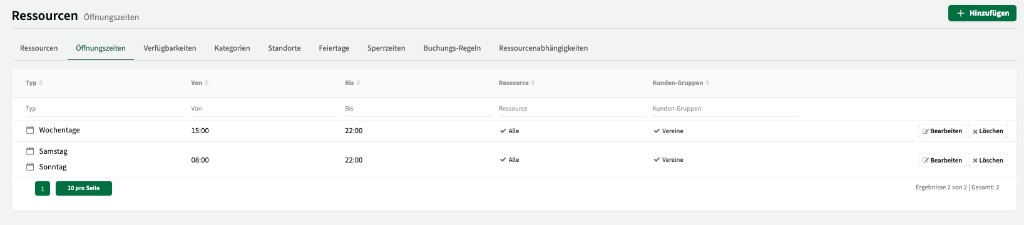
Create an opening hour
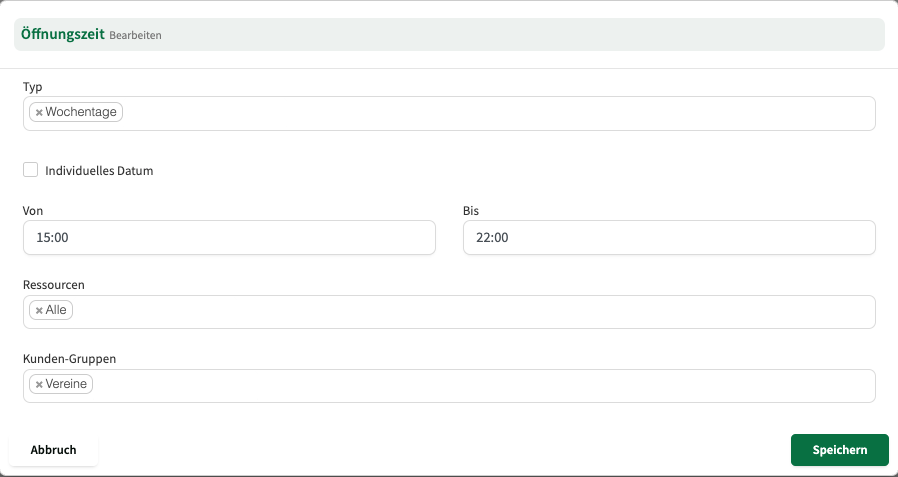
Section titled “Create an opening hour”When you create an opening hour, you choose:
| Setting | Description |
|---|---|
| Type | Daily (same every day), Weekdays (Monday to Friday or custom selection), or Specific days (particular dates). |
| Time | From when to when the resource is open. |
| Resources | Which resources the opening hour applies to. |
| Customer group | Which customer group the opening hour applies to. |
Opening hours by customer group
Section titled “Opening hours by customer group”You can define separate opening hours per customer group. That lets you control access in a fine-grained way.
Example:
- The triple gym is open from 8 a.m. to 5 p.m. for the Schools customer group.
- The same hall is open from 1 p.m. to 10 p.m. for External users and clubs.
- The football pitch is open on weekdays (Monday to Friday) for everyone, and on weekends only for clubs.