

Resource dependencies
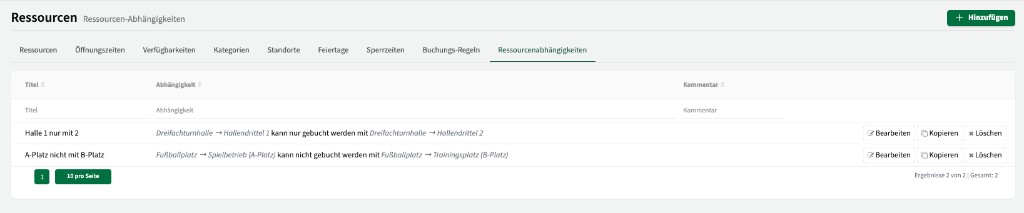
On the Dependencies tab you define rules that determine which resources can or cannot be booked together. ↗ Open in Locaboo
Use + Add to create a new dependency.
Dependency types
Section titled “Dependency types”There are two types of dependencies:
| Type | Description |
|---|---|
| Can only be booked with | The selected resource can only be booked if another specific resource is included in the booking. |
| Cannot be booked with | The selected resource cannot be booked if another specific resource is already in the booking (exclusion rule). |
Example: gym thirds bookable only together
Section titled “Example: gym thirds bookable only together”In a triple gym, gym third 1 should only be bookable together with gym third 2 (for example because changing rooms are shared):
- Create a dependency: Gym third 1 can only be booked with Gym third 2.
- Create the reverse dependency: Gym third 2 can only be booked with Gym third 1.
Behaviour in the calendar
Section titled “Behaviour in the calendar”When a dependency of type “can only be booked with” is active, the dependent resource is added automatically when you create a booking.
Example: A customer clicks gym third 1 in the calendar → gym third 2 is added to the booking automatically. The booking dialog shows a note that the resource was added because of a dependency.
Resources without dependencies (for example gym third 3) can still be booked independently.