

Overview
The Resources area is the heart of your Locaboo configuration. Here you manage everything connected to your bookable offers—from creating individual rooms through opening hours and availability to tariffs, closures, and season planning.
You open the area via Resources in the left-hand navigation. ↗ Open in Locaboo
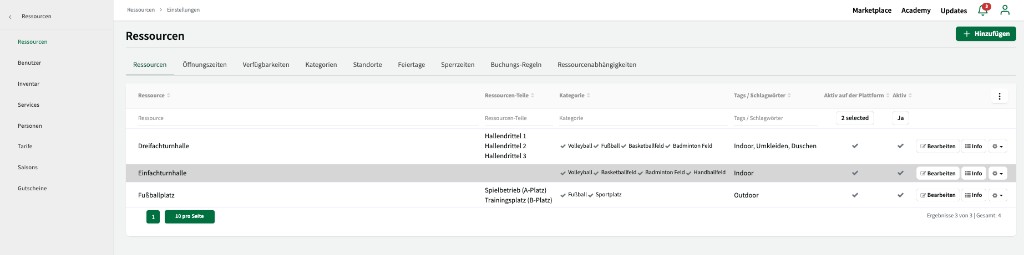
Settings overview
Section titled “Settings overview”| Area | Description |
|---|---|
| Resources | Create and edit resources, sub-resources, and categories. |
| Opening hours | Define when your resources are available—including by customer group. |
| Availability | Decide whether customers can book directly, submit requests, or view only. |
| Holidays & closures | Manage public holidays, school breaks, and your own closure periods. |
| Booking rules | Set lead times, booking lengths, and spacing per customer group. |
| Resource dependencies | Define rules between resources—for example “bookable only together”. |
| Users | Create internal users, define roles, and assign permissions. |
| Inventory & services | Add extra equipment and services to resources. |
| Tariffs | Define prices per resource, customer group, and billing increment. |
| Seasons | Create season periods and copy bookings efficiently into the next year. |